
Not Showing on Google Maps? Here's Exactly Why (and How I Fix It)
Most businesses disappear from Google Maps for one of three reasons. Here's how to diagnose yours in 10 minutes — and what to do when the standard advice doesn't work.
Google Business Profile
Overview
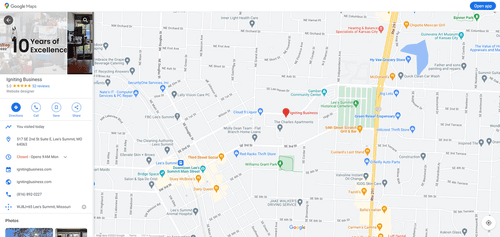
You search for your business on Google Maps. It's not there. You search again from a different phone. Still nothing. Your competitor — the one who opened six months after you — is sitting in the top 3. Your phone is quiet, and you're not sure why.
If you've followed every 'Google Maps setup guide' you could find and you're still invisible, you're not alone. The standard advice — claim your profile, fill out your info, post some photos — works for basic listings. But if you're still not showing up, you're dealing with something deeper.
There are three reasons businesses stay invisible on Google Maps even after doing the basics. I see them every time I run a visibility diagnostic.
The first is verification gaps. Google needs to confirm your business is real. If your postcard never arrived, you moved locations and didn't re-verify, or you're running a service-area business without setting a proper radius — Google suppresses your listing until verification is clean. Most business owners assume verification is a one-and-done step. It's not. If anything changes with your business address or structure, verification can silently reset.
The second is NAP inconsistency. Your business Name, Address, and Phone number must match exactly across every platform — Google, your website, Facebook, Yellow Pages, local directories. A 'Suite 200' on one site and 'Ste 200' on another might seem minor, but to Google's algorithm, these mismatches look like different businesses. I use a citation audit tool that catches these automatically. Most business owners never check.
The third is what I call 'engagement starvation.' Google watches how customers interact with your profile. If they search for you, click for directions, call, or leave reviews — Google treats this as proof that you're a real, active business. If your profile just sits there with no fresh activity, Google gradually reduces its visibility to prioritize businesses with higher engagement signals.
The standard advice won't tell you about engagement starvation. Most blog posts say 'fill out your profile and wait.' That works in 2018. Today, Google's local algorithm is more sophisticated than that.
Here's what I do differently: I check all three of these in a structured 30-minute diagnostic. I pull up your GBP dashboard, run a citation scan, and review your engagement history. Then I tell you exactly which of the three is hiding your business — and what to do about it. No guesswork, no generic checklists.
If you want to try the first step yourself: check your GBP insights tab. Look at 'search queries.' If the number is below 50 for the last 28 days, you have an engagement problem, not a setup problem. That's the sign that standard fixes won't work for you.
Ready to understand your business visibility?
Let us analyze your Google presence and show you exactly what is costing you customers.
Get Your Free Visibility Audit